


Meow OS
Privacy-First Linux Distribution
Privacy-First Linux Distribution
Privacy-Focused Debian Linux
Privacy-Focused Debian Linux
- Privacy by DefaultZero telemetry from Chrome, VS Code, and Firefox. Tor daemon on port 9050, OpenVPN and WireGuard VPN support, DNS-over-TLS with Cloudflare and Quad9. No data collection or tracking. Perfect for privacy enthusiasts, journalists, and researchers.
- Security-First DesignUFW firewall with default deny policy, Fail2ban auto-banning malicious IPs, automatic security updates enabled, kernel hardening via sysctl, AppArmor mandatory access control, and minimal services running. Professional pentesting tools coming in v2.0.
- Developer-Ready EnvironmentVS Code with telemetry completely removed, Python 3.11+, Node.js 18+ LTS, Git, GCC and build tools included. Access to 59,000 stable Debian packages via APT. Single KDE Plasma 5.27 desktop. Docker and Kubernetes available via separate apt install.
![Privacy-Focused [Debian Linux]{.text-primary}](/images/macbook.svg)
![Privacy-Focused [Debian Linux]{.text-primary}](/images/macbook-mobile.svg)
Current Features in Meow OS v1.0


Current Features in Meow OS v1.0
- Privacy ProtectionTor daemon running on SOCKS5 port 9050 for anonymous browsing. OpenVPN and WireGuard VPN support ready (you provide your own config files). DNS-over-TLS configured with Cloudflare and Quad9. Zero telemetry from Chrome, VS Code, and Firefox. No data collection or tracking.
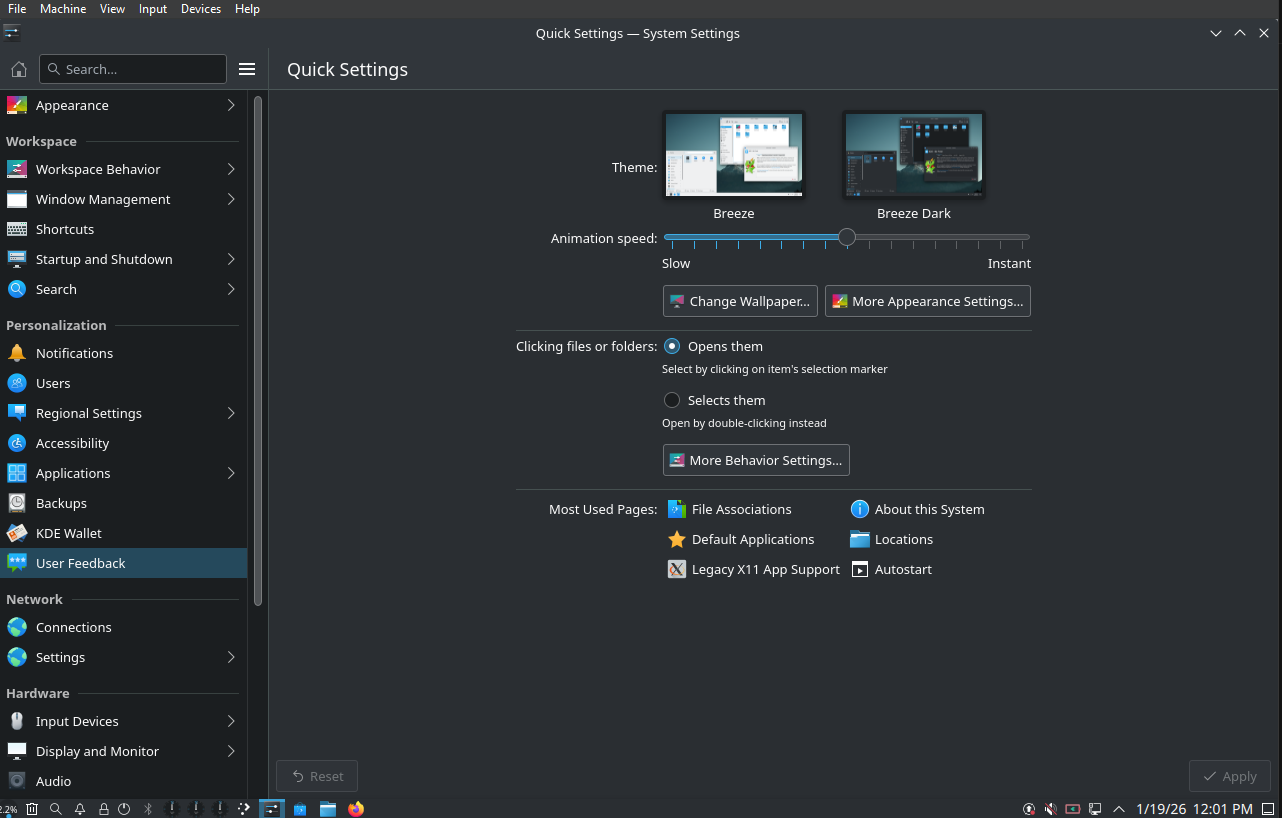
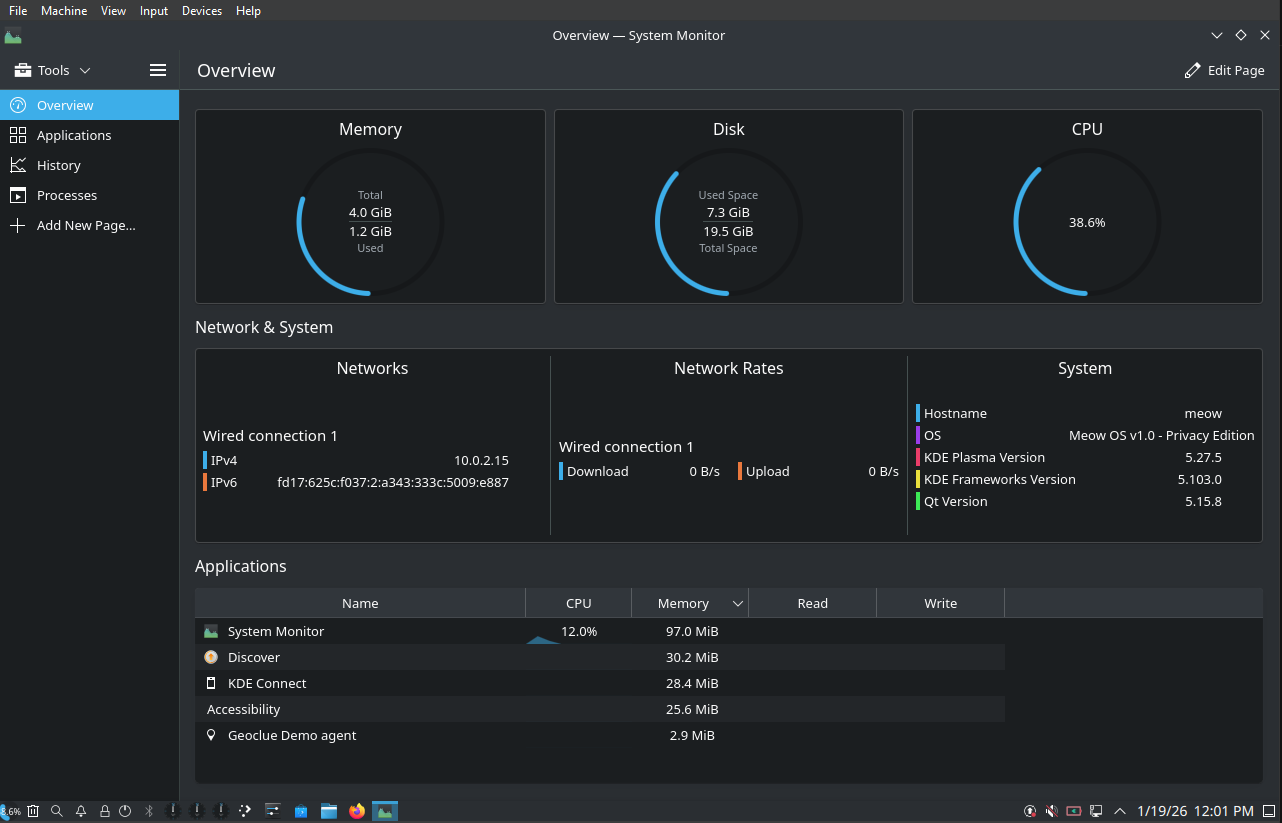
- KDE Plasma 5.27 DesktopSingle desktop environment KDE Plasma 5.27 running on X11 display server with SDDM login manager. Global dark theme enabled by default. Wayland session support coming in v1.1. Additional desktop environments (GNOME, XFCE, i3wm) available via apt install.
- Debian 12 Stable BaseBuilt on Debian 12 Bookworm stable release with Linux kernel 6.1 LTS. Standard Debian kernel configuration optimized for reliability. Not a rolling release - receives security updates and stable patches only. Rock-solid foundation for daily use.
- Security HardeningUFW firewall with default deny policy active. Fail2ban intrusion detection protecting SSH and services. Automatic security updates enabled via unattended-upgrades. Kernel hardening applied through sysctl configuration. AppArmor mandatory access control enabled. Minimal attack surface.
- Debian Package RepositoryAccess to 59,000 packages in official Debian stable repositories via APT package manager. Install software with standard apt commands. No AUR, Flatpak, or Snap pre-configured (available if you install them). Reliable, tested, and stable packages only.
- Virtual Machine OptimizedDesigned and optimized specifically for VirtualBox, VMware Workstation, and QEMU virtualization platforms. Virtual GPU support and guest additions configured. NOT optimized for bare metal hardware yet. No WiFi 6E, Bluetooth 5.3, or NVIDIA driver pre-installation.
- Development Tools IncludedVS Code with all telemetry completely disabled. Python 3.11+ interpreter, Node.js 18+ LTS runtime, Git version control, GCC compiler, and build-essential tools. Clean development environment ready for coding. Docker and Kubernetes NOT pre-installed (install via apt if needed).
- Standard PerformanceStandard Debian kernel 6.1 LTS with default configuration. NOT custom-tuned with low-latency scheduling or zRAM compression. Normal boot times and responsive desktop on 4GB+ RAM systems. Reliable and stable performance for daily computing tasks.
- Containers Available via APTDocker, Podman, LXC, and container tools NOT pre-installed but available through standard Debian repositories. Install with apt install docker.io or apt install podman as needed. No Kubernetes pre-configured. Container support available when you need it.


KDE Plasma 5.27 Desktop
KDE Plasma 5.27 Desktop

Built for Privacy and Development

Zero telemetry. Clean development environment. Security hardened by default.
- Telemetry removed from Chrome, VS Code, and Firefox
- Tor daemon pre-configured on SOCKS5 port 9050
- OpenVPN and WireGuard VPN support ready to use
- DNS-over-TLS with Cloudflare and Quad9 configured
- VS Code with all telemetry completely disabled
- Python 3.11+, Node.js 18+ LTS, Git pre-installed
- GCC, build-essential, SSH, curl, wget included
- Clean Debian 12 base with full package access
- UFW firewall with default deny incoming policy
- Fail2ban intrusion detection protecting SSH and services
- Automatic security updates with unattended-upgrades
- Kernel hardening via sysctl and AppArmor enabled
- Privacy-conscious users who want zero tracking
- Web developers building apps and websites
- Students learning Linux and open source
- Remote workers needing secure work environment
Coming in Future Releases
Advanced features planned for v1.1 and v2.0 include Docker/Podman pre-installed, penetration testing toolkit, forensics tools, container orchestration, and specialized security workflows. Current version focuses on privacy-first general-purpose computing with clean development environment.
Download Meow OS v1.0
Download Meow OS v1.0
- VDI format optimized for VirtualBox 6.1 and above
- Download size 6.7 GB compressed archive
- Debian 12 Bookworm stable with Linux kernel 6.1 LTS
- KDE Plasma 5.27 desktop environment on X11
- Zero telemetry configuration across all applications
- Tor daemon, VPN support, DNS-over-TLS pre-configured
- Development stack VS Code, Python 3.11+, Node.js 18+ LTS, Git
- Security hardening UFW firewall, Fail2ban, automatic updates
- Minimum requirements 4GB RAM, 2 CPU cores, 20GB storage
- SHA-256 checksum verification included
- Default credentials root/meow change immediately after first boot
- ISO image format for bootable USB installation media
- Complete open source build system and documentation
- Live environment with graphical installation wizard
- Full-disk encryption capability during installation
- Extended virtualization platform support
- Tor Browser Bundle integrated by default
- Enhanced hardware compatibility layer
- Advanced VPN configuration interface
- Community contribution framework
- Public development repository access
Getting Started with Meow OS
Getting Started with Meow OS
- Step 1 • Download and VerifyDownload the VirtualBox VDI image (6.7 GB compressed) from the official GitHub releases page. Verify file integrity using the provided SHA-256 checksum. Extract the compressed archive to your designated installation directory.
- Step 2 • Configure Virtual MachineImport the VDI image into Oracle VirtualBox. Configure system resources allocate minimum 4GB RAM (8GB recommended), assign 2 CPU cores (4 cores recommended). Enable hardware virtualization VT-x or AMD-V in BIOS settings. Activate 3D acceleration for optimal graphics performance.
- Step 3 • Initial System SetupLaunch virtual machine and authenticate using default credentials root username with meow password. Execute immediate security configuration change root password using passwd command. Update system packages run sudo apt update and sudo apt upgrade to apply latest security patches.
- Step 4 • System ConfigurationConfigure KDE Plasma desktop environment according to workflow requirements. Set up privacy tools Tor daemon, VPN connections, DNS-over-TLS. Initialize development environment and customize application settings. Join community channels for technical support and system updates.
- Development Roadmap v1.1Scheduled Q2 2026 release introducing ISO distribution format for USB bootable media. Features include live environment, graphical installation wizard, full-disk encryption support, integrated Tor Browser Bundle, enhanced VPN management interface, and complete open source build system release.
- Development Roadmap v2.0Planned Q4 2026 release delivering official bare metal hardware support. Features include automatic hardware detection and driver installation, graphical system installer, dual-boot configuration support, persistent USB live images, official ARM architecture builds for Raspberry Pi 4 and 5, expanded hardware compatibility matrix.
Open Source GitHub Community
Open Source GitHub Community

Meow OS is completely open source under GPL-3.0 license with full transparency in every line of code. Join our GitHub organization to explore the source code, fork repositories, submit pull requests, report bugs, participate in discussions, improve documentation, or simply star our repositories to show support. Whether you're contributing code, reporting issues, writing tutorials, or helping other users, every contribution makes Meow OS better for everyone. Be part of building a privacy-focused Linux distribution that puts users first.


Frequently Asked Questions
Frequently Asked Questions
- Is Meow OS completely free?Yes, absolutely. Meow OS is 100% free and open source under GPL-3.0 license. No hidden costs, subscriptions, or fees. Download, use, modify, and distribute freely.
- Can I use Meow OS as my daily driver?Yes, Meow OS is a complete Debian-based distribution capable of serving as your primary OS for daily computing, including web browsing, email, documents, multimedia, and development work.
- How is Meow OS different from Ubuntu or Linux Mint?Meow OS prioritizes privacy and security as primary design goals with zero telemetry, pre-configured Tor access, VPN support, DNS-over-TLS, and security hardening throughout the system.
- What are the actual system requirements?Minimum 2 CPU cores, 4GB RAM, 20GB storage for basic use. Recommended 4+ cores, 8GB+ RAM, 50GB+ storage for comfortable daily use. Professional workstations benefit from 8 cores, 16GB RAM, 100GB storage.
- Can I install Meow OS on my computer's hard drive?While technically possible, bare metal installation is not officially supported in current versions. Running Meow OS in VirtualBox or VMware provides the best experience. Official bare metal support planned for version 2.0.
- How do I install additional software?Use apt, the standard Debian package manager. Install with 'sudo apt install package-name', search with 'apt search keyword'. Access to tens of thousands of packages in Debian repositories.
- Does Meow OS collect any data?No. Meow OS collects absolutely zero data. No telemetry, analytics, crash reports, usage statistics, or phone-home mechanisms. The OS operates entirely locally with no data collection connections.
- Does using Meow OS make me anonymous online?No single tool makes you completely anonymous. Meow OS provides powerful anonymity tools including Tor, VPN, and DNS-over-TLS, but anonymity depends on how you use these tools and following proper operational security practices.
- Should I use VPN and Tor together?Yes, using VPN and Tor together provides layered anonymity protection. Connect to VPN first, then route traffic through Tor. Your ISP sees VPN, VPN sees no destinations (Tor encrypted), websites see Tor exit node.
- What desktop environment does Meow OS use?Meow OS uses KDE Plasma 5.27 for its powerful features, extensive customization, and reasonable resource requirements. You can install alternative desktops like GNOME, XFCE, or i3 if preferred.
- Does Meow OS support Wayland?Yes, KDE Plasma supports both Wayland and X11. X11 is default for compatibility. Wayland is available for better security, smoother animations, and improved high-DPI support. Switch at login screen.
- Does Meow OS work on ARM processors like Raspberry Pi?Not yet, but ARM support is actively under development. Raspberry Pi 4 and 5 support is planned for Q2 2026. Follow GitHub and Discord for development updates and early testing opportunities.
- Why is Meow OS running slowly in my VM?Enable hardware virtualization in BIOS (Intel VT-x or AMD-V), allocate at least 4GB RAM (8GB recommended), assign 2+ CPU cores, enable 3D acceleration, use SSD storage if possible, and close unnecessary host applications.
- My network connection isn't working, how do I fix it?Verify VM network adapter settings (NAT or Bridged), restart NetworkManager with 'sudo systemctl restart NetworkManager', check 'ip link show', verify DNS with 'nslookup google.com', check logs with 'journalctl -u NetworkManager'.
- I can't connect to Tor, what's wrong?Verify Tor service is running with 'sudo systemctl status tor', start with 'sudo systemctl start tor', check firewall allows port 9050, verify system time is correct, configure Tor bridges if your network blocks Tor.
- How can I contribute to Meow OS development?Fork the GitHub repository, create feature branches, implement improvements or fixes, and submit pull requests. Contributions welcome for code, documentation, testing, translations, and community support at all skill levels.
- Can I fork Meow OS and create my own distribution?Yes, absolutely. The GPL-3.0 license grants you the right to fork, modify, and distribute Meow OS. You must provide source code, maintain GPL licensing, and credit the original project.
- What new features are planned for upcoming versions?Version 1.1 (mid-2026) includes full-disk encryption, Wayland default, Tor Browser Bundle, enhanced VPN interfaces. Version 2.0 (late 2026) adds comprehensive bare metal support, hardware detection, installation wizard, and official USB live images.
- Can Meow OS run on servers without a GUI?Yes, Meow OS works excellently as a server OS. Remove graphical environment with 'sudo apt remove kde-plasma-desktop', disable display manager. Perfect for web hosting, VPN servers, Tor relays, or privacy-focused infrastructure.
- Where can I get additional help?Join our Discord server for real-time support, visit our Reddit community for discussions, check GitHub Issues for bug reports, or explore our comprehensive documentation. The community is friendly and helpful for all experience levels.
Ready to Experience the Power of Meow OS?


Ready to Experience the Power of Meow OS?